跳至产品信息
1 / 8

My First Vintage

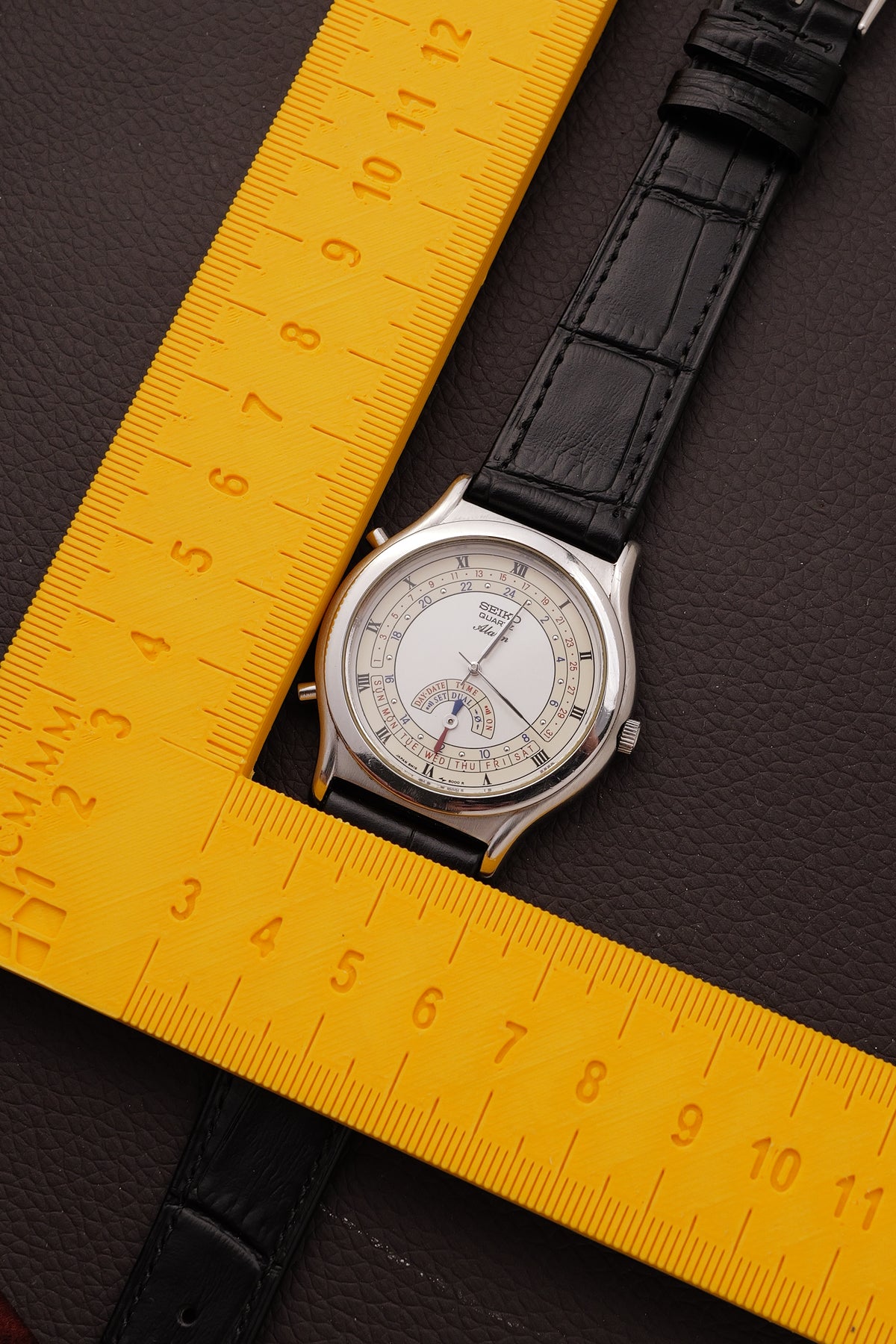
Seiko Quartz "Multi function Alarm" Circa. 1990s

Seiko Quartz "Multi function Alarm" Circa. 1990s

常规价格 RM850.00 MYR
常规价格 促销价 RM850.00 MYR
促销 售罄
Maker seiko
Model 8M15-8000
Movement quartz
Dimension 35mm x 40mm
Glass Condition No glass scratches
Dial Condition No dial corrosion
Case Condition 9/10 with reasonable sign of use
Waterproof As they are Vintage pieces, please do not fully submerge the watch and minimal contact during hand washing
Accessories attached on a new aftermarket strap and silver buckle.
Mechanical Condition serviced with new battery installed.
Watch Summary Seiko 8M15-8000 Alarm Quartz featuring a white dial with Roman numerals, and a sub-dial multi function. Love the typography and dial design, with enough to keep you excited but not too much to cluster up the balance. 

FUNCTION:
1. Setting the Current Time
  1. Turn the crown (while it is pushed all the way in) until the sub-dial pointer points directly to TIME. [1]
  2. Pull the crown out to the first click position. [1]
  3. Use the two pushers (buttons) on the left side of the case to advance or reverse the hands:
    • Top Left Button: Advances the hour and minute hands forward.
    • Bottom Left Button: Moves the hands backward.


  4. Once the correct time is set, push the crown completely back in. [1]
2. Setting the Day and Date
  1. Leave the crown pushed all the way in and rotate it until the sub-dial indicator points to DAY/DATE.
  2. Pull the crown out to the first click.
  3. The hour and minute hands will reposition themselves automatically to act as indicators along the lower day/date crescent scales:
    • Press the Top Left Button to move the pointer hand to the current Day of the week (Sun–Sat).
    • Press the Bottom Left Button to adjust the pointer to the correct Date of the month (1–31).
  4. Push the crown back in when finished. The main hands will instantly spin back to display the current time. [1, 2]
3. Setting the Alarm
  1. Turn the crown until the sub-dial points to ALARM. The watch hands will automatically spin to show whatever alarm time is currently saved. [1, 2]
  2. Pull the crown out to the first click. [1]
  3. Press the Top Left Button (advances forward) or Bottom Left Button (moves backward) to align the hands to your desired alarm time. [1]
  4. Push the crown back in to lock it in.
查看完整详细信息